
HTML for Beginners
We are on a journey of development and the very first thing as a developer we learn is HTML. It is the foundation of every webpage and the starting point for understanding that how actually web works. Once we have a clear idea about HTML we can structure content, build basic layouts and start our journey of development.
What is HTML?
HTML stands for Hyper Text Markup Language. It is a backbone of a webpage.
As it’s name suggests It’s a Markup Language so there is no logic involved. It completely depends on tags to structure and define the content.
Now take an example of a car to understand this better. The basic frame of the car represents HTML. It gives structure and defines what goes where. The CSS(we will know about it later) is the color and styling that make it looks good and JavaScript is the engine that brings everything to life and makes it work.
HTML Tags
A tag is like a container for content or other HTML tags. It tells the browser about the content. Tags are always placed inside angle brackets.
For Example:
<html>for HTML content</html>
<body> for body </body>
<h1> for heading </h1>
<p> for paragraph</p>
<a>to add links</a>
As we can see, a tag has three parts. The first part is called the opening tag (like <h1>, <p>, <a>), the second part is the content, and the last part is called the closing tag (like </h1>, </p>, </a>).
HTML Elements
Now that we know about tags, let's see what an element is in HTML.
An HTML element is the complete structure of a tag, which means an element consists of an opening tag, content, and a closing tag.
Element = Opening tag + Content + Closing tag
HTML elements fall into two categories based on their representation of the content in the web page.
Block-Level Elements
Inline Elements
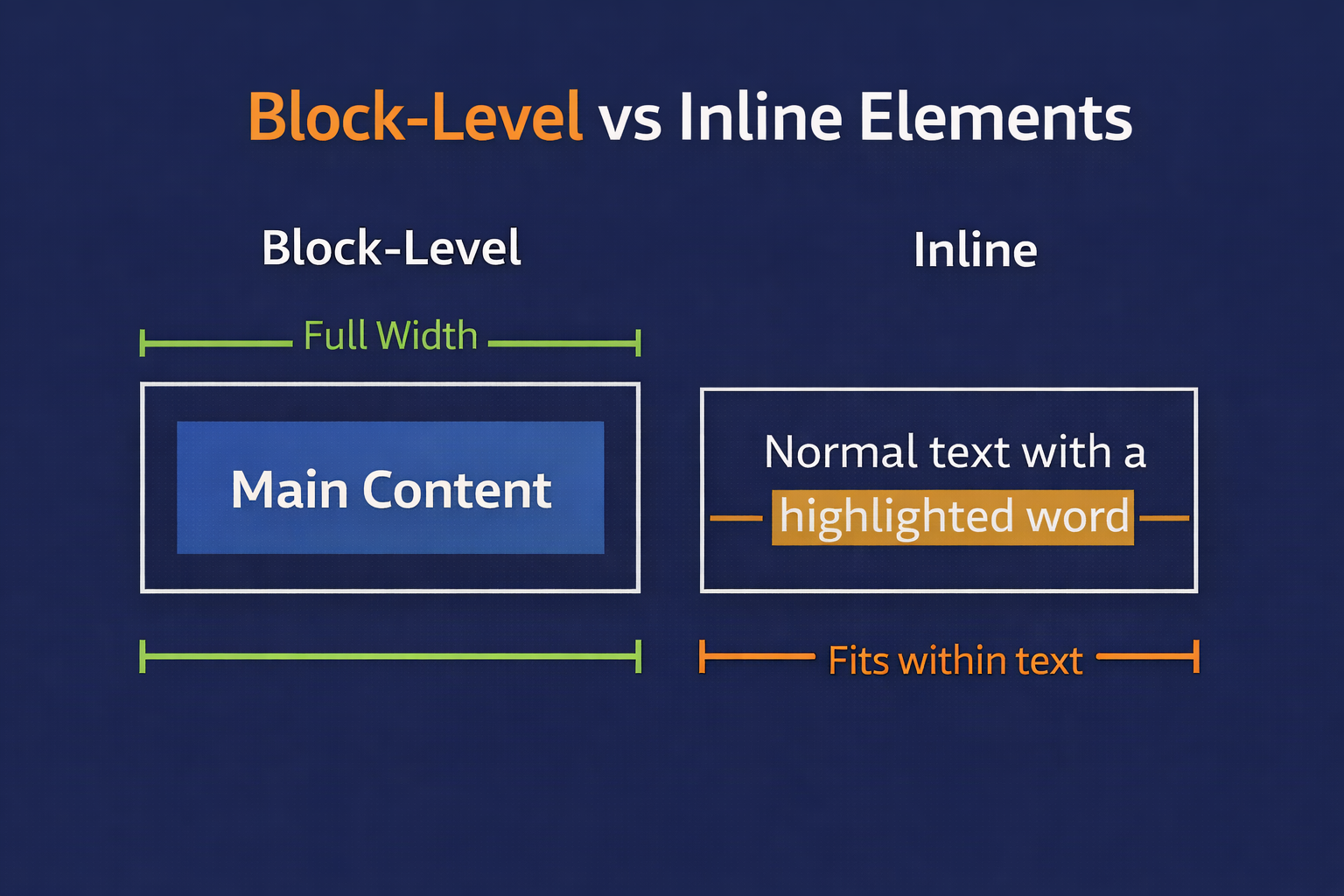
Block-Level Elements: Block-level elements use the full available width and always start on a new line. These elements can contain inline elements or other block-level elements.
For example:
<p><div><h1>to<h6><section>
Inline Elements: This elements only use the required space by their content and don’t start a new line.
For example:
<a><span><strong><br>
But some elements don't need a closing tag or even content. These are called self-closing elements.
For example:
<br> to break the current line
<hr> to create horizontal line
These are the elements that we can consider as void elements.
Commonly Used HTML Tags
Now, let's go over some common tags that we'll use frequently in our development journey.
The Heading Tags:
Heading tags is used to make headings in HTML . From H1 to H6, we have tags for most important to least important.
<h1>Most Important Heading</h1>

<h2>Another Heading Tag</h2>

<h3>Another Heading Tag</h3>

<h4>Another Heading Tag</h4>

<h5>Another Heading Tag</h5>

<h6>Least Important Heading</h6>
The Paragraph Tag:
Paragraph tags <p> used to add to an HTML page.
<p>This is a paragraph</p>
The Anchor Tag:
The <a> anchor tag is used to add links to existing content inside an HTML page.
<a href="url"> Click Here</a>
The Img Tag:
<Img> tag is used to add images in an HTML pages.
<img src="img.png">
The Pre Tag:
HTML often doesn’t care about spaces so to maintain spaces in the web pages we use <pre> tag.
</pre>we are
     all
developres<pre>
Plus Points of HTML:
As beginners, we can easily start learning HTML because it is simple and beginner-friendly. It offers many key concepts that help new developers begin their development journey. HTML is forgiving by nature; if some tags are incorrect, the browser will still render the page. Additionally, HTML is not case-sensitive.
By practicing regularly, we can build a strong foundation in HTML.
Thanks for Your Time.